

Top 10 Risk Assessment Tools for Smarter Internal Audits: Guides By Our Unique Insights
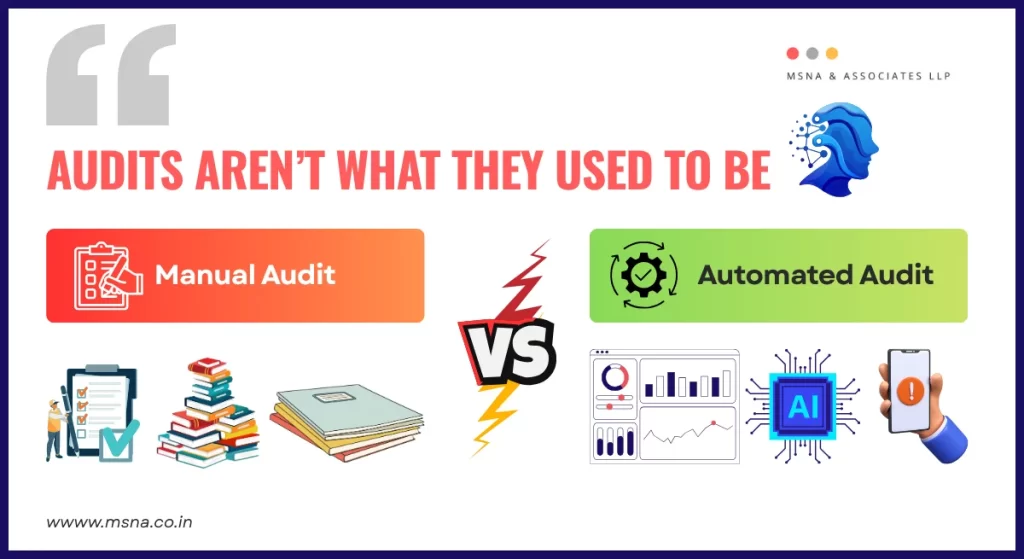
Let’s face it, audits aren’t what they used to be.
Dashboards, APIs, and artificial intelligence have replaced checklists and thick paper files. Risk assessment tools are no longer considered a “nice-to-have.” They are essential.
Moreover, automation is changing the way internal audits are conducted, whether it is to detect errors early on, meet global compliance standards, or simply save time.
According to the Institute of Internal Auditors (IIA), companies leveraging automated risk assessment tools reduce audit cycle times by up to 40% while improving accuracy scores by 30%, this is a measurable shift from reactive auditing to proactive risk management.
But with so many tools available, it’s difficult to determine which ones are genuinely useful.
In this blog, we’ll explain what risk assessment tools accomplish, why they’re important for internal audits, and which platforms are worth your time.
What is an automated risk assessment tool?
A risk assessment tool is software that helps you find, track, and deal with risks. These risks might be financial (like fraud), technical (like system failures), or operational (like policy gaps or compliance issues).
Before automation, teams relied on spreadsheets and emails. Someone had to manually collect logs, chase people for updates, and build reports. It was slow and painful.
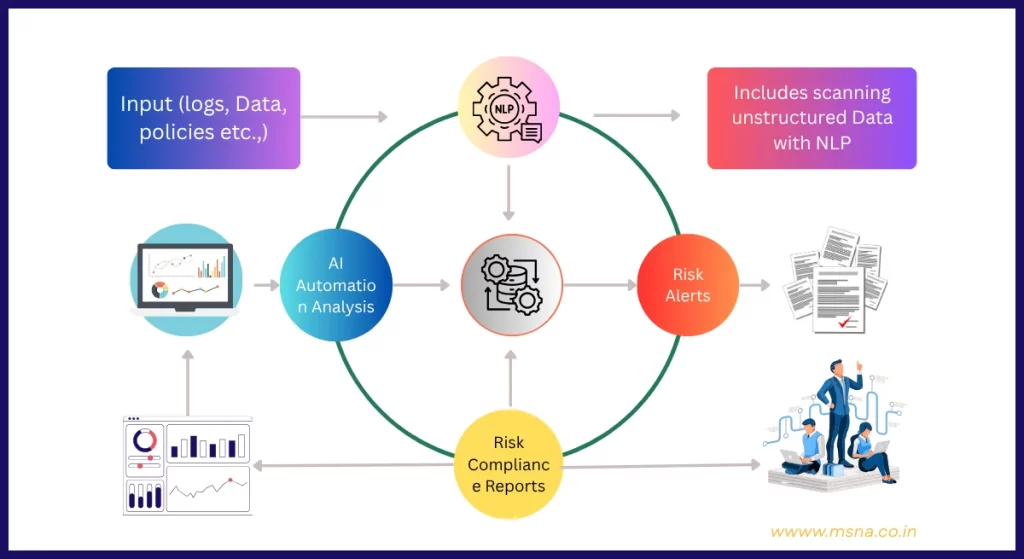
Now, these tools automate all that. They monitor systems in real time, flag issues instantly, and provide dashboards your team can actually use. The best part? They don’t get tired. No breaks. No missed alerts.

Why Internal Auditors Need Automation Tools For Risk Assessment?
The job of internal auditors is to see risks clearly and respond quickly. Manual processes slow everything down. Mistakes slip through. Bottlenecks form. That’s where automation changes the game.
Here’s What Risk Assessment Tools Bring to the Table:
1. Speed and Consistency
Automated tools follow defined rules. That means every report, every alert, and every task is done the same way, fast and consistently. And it also has less room for error and more room for action.
2. Better Visibility
With real-time dashboards and heatmaps, you know where your risk management processes are weak. You’re not digging through folders to figure out what went wrong; you already know.
3. Compliance Ready
Most of these tools are built with compliance frameworks in mind. From SOX to GDPR, they offer prebuilt checks, reminders, and audit logs so you’re not scrambling during reviews.
Here’s what one of our Internal Auditor say about using Risk Assessment Tools:
In my two decades of working with governance teams, the difference between “checking the compliance box” and proactively owning your compliance posture comes down to having the right automated intelligence in place. Tools don’t just tick boxes; they guide better decisions.
10 Best Risk Assessment Tools for Internal Auditors
Let’s break down the top tools trusted by companies today. These are based on recent reports, user reviews, and market rankings. These are not our recommendations but just a compilation.
1. AuditBoard
AuditBoard is a favourite among auditors. Clean dashboards, strong workflow features, and solid links to internal audit software processes. It’s especially useful for SOX-compliant firms or enterprises running regular audit cycles.
2. Sprinto
Sprinto is perfect for cloud-based companies. It helps you maintain ongoing compliance with frameworks like SOC 2, ISO 27001, and HIPAA. It alerts you to the second something’s off, saving time and reducing manual follow-up.
3. LogicManager
LogicManager is known for its built-in risk libraries and sharp reporting tools. It is great for mid-sized companies that want structured risk management functions without a huge learning curve.
4. Riskonnect
Riskonnect gives a full 360° view of enterprise risk. It combines audit, compliance, vendor tracking, and policy management all in one place. This tool is especially strong for heavily regulated industries.
While our team was working with one of the global logistics firms, we implemented Riskonnect to cut 60% of their audit preparation time.
5. OneTrust
If your work involves personal data, OneTrust is worth checking out. It’s built for privacy risk, compliance with data protection laws, and fast documentation. Good fit for legal, HR, or marketing-heavy firms.
6. VComply
VComply helps you create and assign internal controls fast. The dashboard is simple, and it’s also friendly for non-tech teams. This tool is great for startups or small companies with growing governance needs.
7. Centraleyes
This tool is built for visual thinkers. It turns compliance risk workflows into drag-and-drop boards, helping you see where controls fail or succeed. It is used across industries, especially in finance and healthcare.
8. Cyber Sierra
It combines GRC automation with threat monitoring. Cyber Sierra prioritises quick setup and real-time notifications, particularly for technology firms managing third-party risk and continuous compliance.
9. SecOps
Lightweight but solid, SecOps is a risk assessment tool built for small teams. It helps with running audits, collecting evidence, and tracking controls, without the need for extra hands. It’s especially handy for security and compliance teams that want faster feedback loops and tighter control.
10. Atlas Systems
Atlas Systems is strong in both vendor and operational risk. It integrates with procurement tools and tracks vendor health over time. This tool provides clarity if you rely on outside partners or have complex supply lines.
A Quick Insight: While comparing tools, use “Audit Efficiency Ratio” to measure how much risk coverage is achieved per audit hour invested. Top performers like AuditBoard and Riskonnect consistently deliver higher AER scores.
The best-in-class audit teams achieve an Audit Issue Resolution Rate of 85% or higher. Most of the tools listed above will support that threshold.
How to Choose the Right Risk Assessment Tool for Your Business?
With so many options, it can be hard to pick one. Here’s how you can decide:
First, understand what you want the tool to do. Is it to automate audit reports, track compliance metrics, or manage vendor risk?
Check The Below Features from The Risk Assessment Tools:
- Real-time dashboards that actually show live data
- Easy integration with cloud, HR, or finance tools
- Support for your specific compliance frameworks
- Automation that reduces, not increases, manual work
Always check peer reviews. Platforms like G2 or Gartner give you real-world feedback on usability, bugs, and support.
Also, think long term. Can this tool grow with you? Map your growth for next 3-5 years & accordingly evaluate the audit tools for AI & NLP capabilities. If they are aligning your audit goals, then go for it!
If you’re scaling fast, go with a platform that supports upgrades, new teams, and advanced reports later.
Best Practices Of Risk Assessment Tools.
- Determining framework and objectives.
- Analysing the risk.
- Developing Strategies.
- Keep a formal record of the assessment
- Collaborate with different functional teams.
How Risk Assessment Tools Are reshaping Audit Accuracy and Compliance in 2025”?
- Risk assessment tools enable auditors to continuously review financial data and controls in real time, rather than performing periodic reviews.
- It provides a clear picture of the organisation’s risk by analysing the whole set of data.
- It can review and compare policies and procedures with actual data, which helps the auditor to identify weaknesses. or gaps in internal controls.
Wrapping It Up: 10 Risk Assessment Tools Are Just the Start
The 10 risk assessment tools are no longer a bonus; they’re the baseline. Automation should be your co-pilot not an auto-pilot. You be the smartest auditor by blending right technology with human insights to deliver maximum efficiency.
They help you move faster, stay compliant, and catch problems before they grow. But picking the right tool isn’t just about features. It’s about fit. What works for a SaaS startup may not work for a manufacturing firm.
So start with your audit goals. Choose a platform that aligns with your workflows, your team’s size, and your industry needs. And as more tools add AI in auditing, stay curious but cautious. AI can speed things up, but it can’t replace critical thinking.
In the end, the real edge isn’t just automation. It’s using the right tech, guided by sharp human judgment.
Related
Discover more from MSNA & Associates LLP
Subscribe to get the latest posts sent to your email.




Pingback: AI and Auditing: Smarter Risk Detection with Human Oversight - MSNA & Associates LLP